

Addis Assistant AI
How to Delete Your Account
If you no longer wish to use our services, you can permanently delete your account and associated personal data in the app. Follow these steps. If you need help, contact support@addisassistant.com.
Step 1
Go to Your Profile
Click on your profile icon located at the top-right corner of the screen.
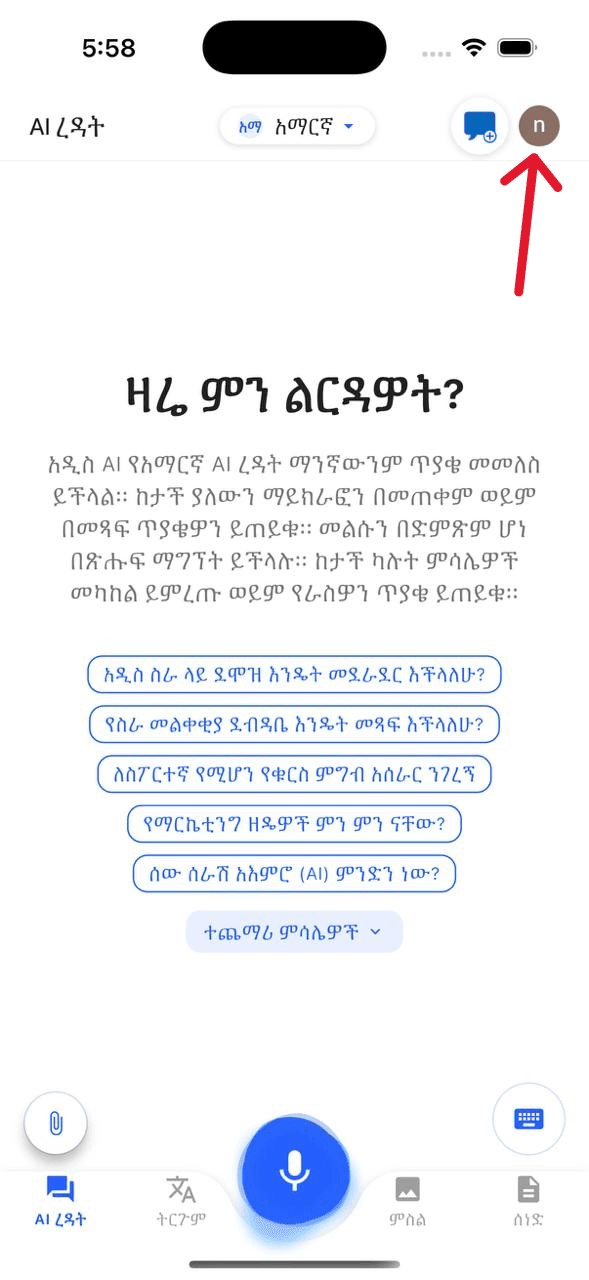
Screenshot reference: photo 2025 09 02 18 03 55
Step 2
Open Settings
From the profile menu, select Settings to access your account preferences.
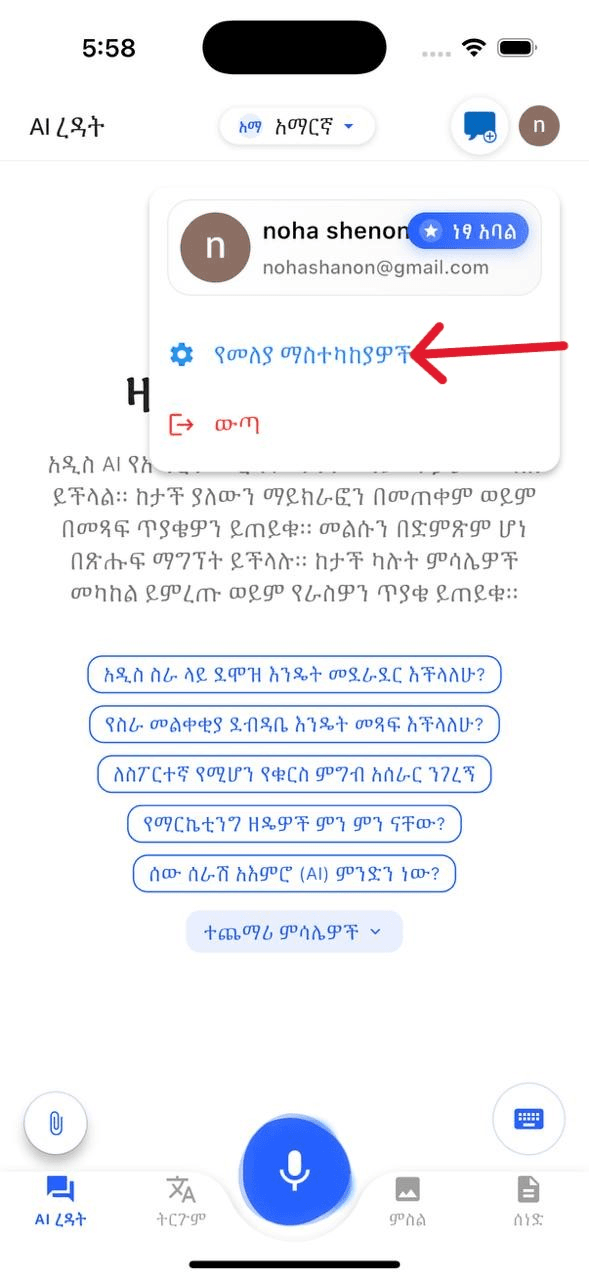
Screenshot reference: step2
Step 3
Select Delete Account
Within the settings page, locate the Delete Account option. This permanently removes your account and associated data.
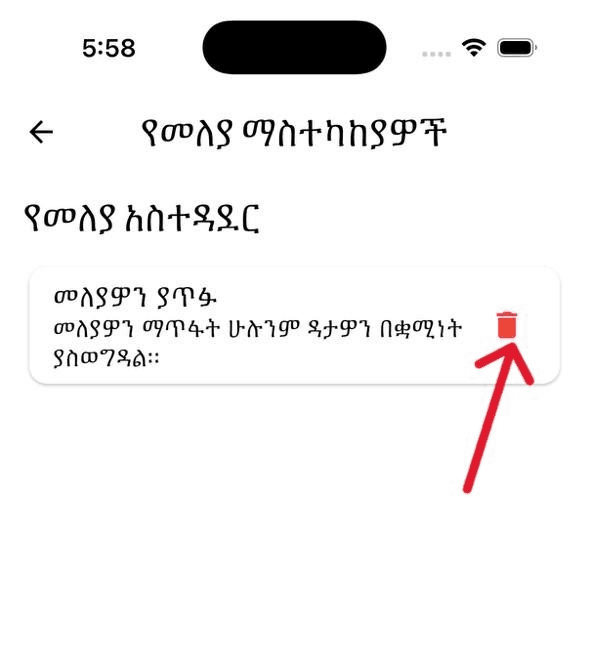
Screenshot reference: step 3 e1756846353596
Step 4
Confirm Deletion
Review the confirmation carefully. Once confirmed, your account and data are permanently deleted.
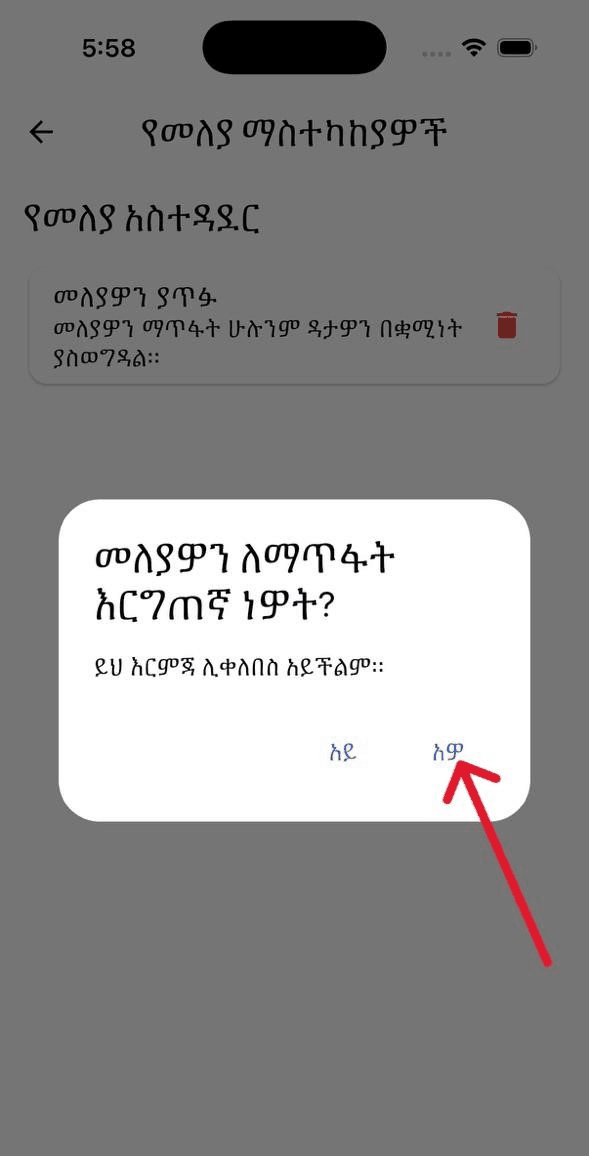
Screenshot reference: step 4 e1756846422908
Need Help?
If you experience issues with deletion, contact support@addisassistant.com.
Privacy details: Privacy Policy